If you’re reading this then you’ve signed up for the Shutter Muse newsletter. In exchange for your support, I’m giving you access to some awesome content here on this special page. This is your page, please bookmark it for future reference because I do plan to add more free content to it as time goes on.
This group has been hidden because files have been removed from Amazon S3, and I don’t think I’m sending people to the secret page anymore. Maybe I will again in the future, so this should not be deleted.
Downloadable Resources
10 Incredible Tools eBook
These great tools can help get your photo workflow and business on track.
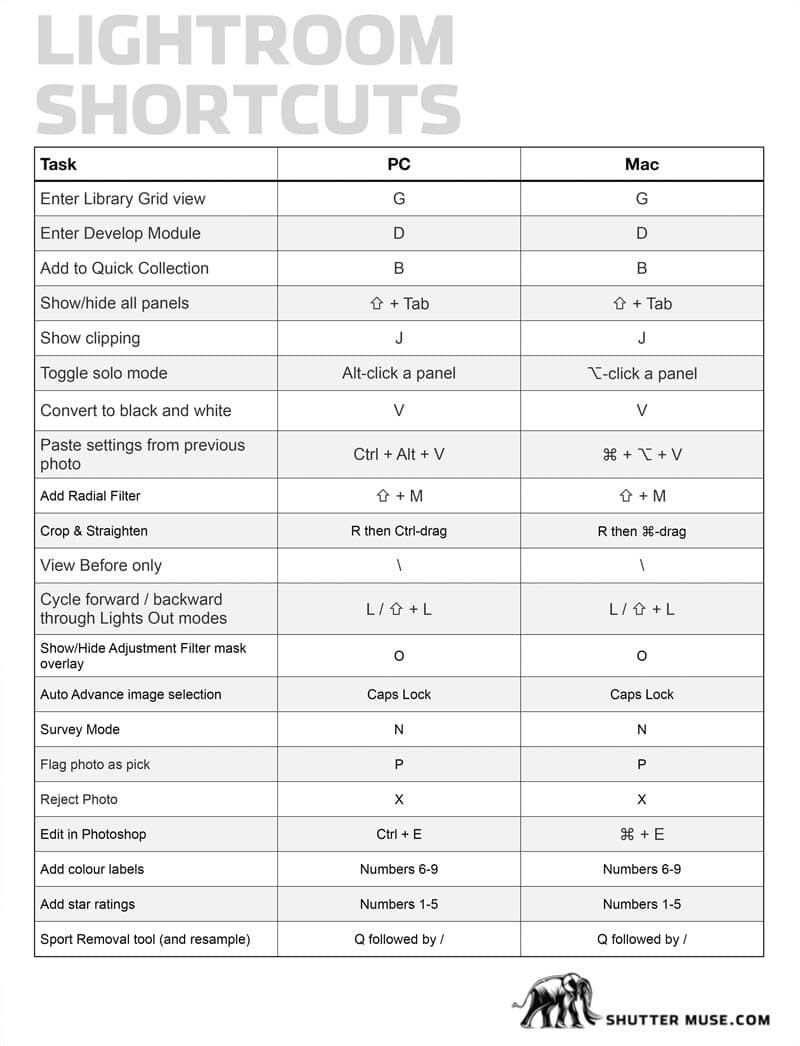
Reference PDF featuring every Lightroom Classic keyboard shortcut. Great for storing on Dropbox or your chose cloud service so that you can access it easily at any time from any device. There’s an associated blog post of Lightroom Classic keyboard shortcuts here.
Photo Mechanic is by far the most powerful photography workflow tool for sorting, rating and adding metadata to images. Print this PDF as a reference, or keep it on your phone so it’s with you while you cover your next event.
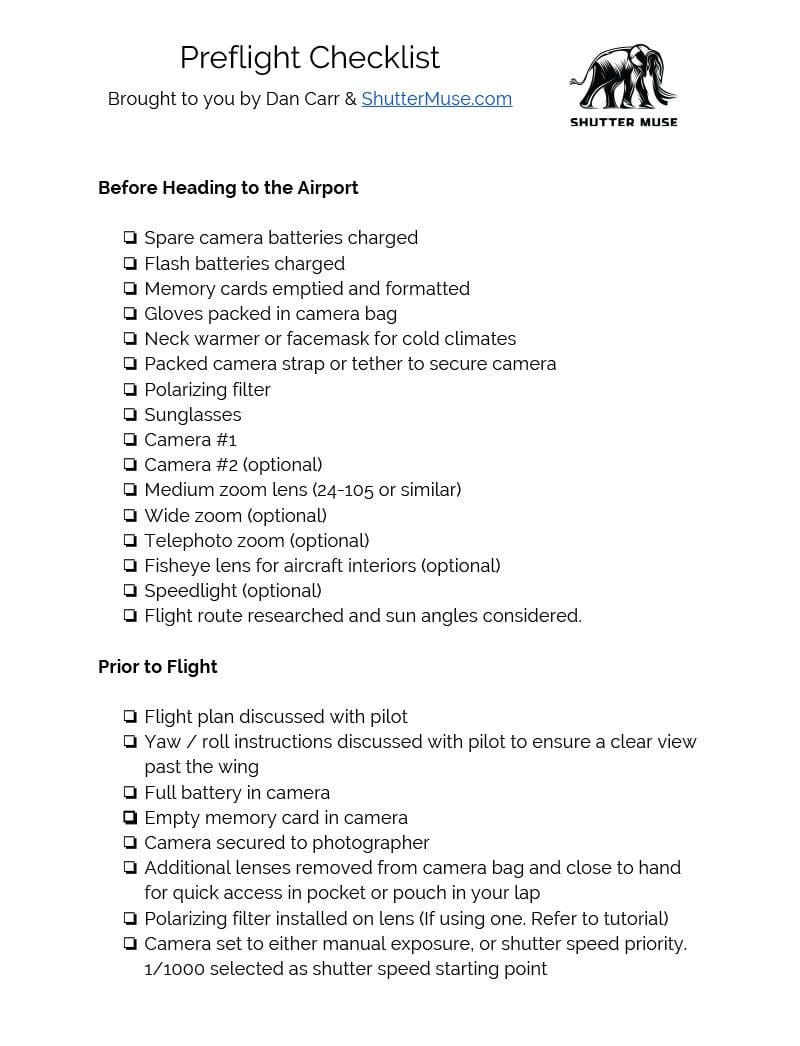
A checklist is always a good idea in a situation that is both expensive to organize, and potentially dangerous. Print this PDF and you’ll be off to a good start. Need more info? Read a full set of aerial photography tips here.
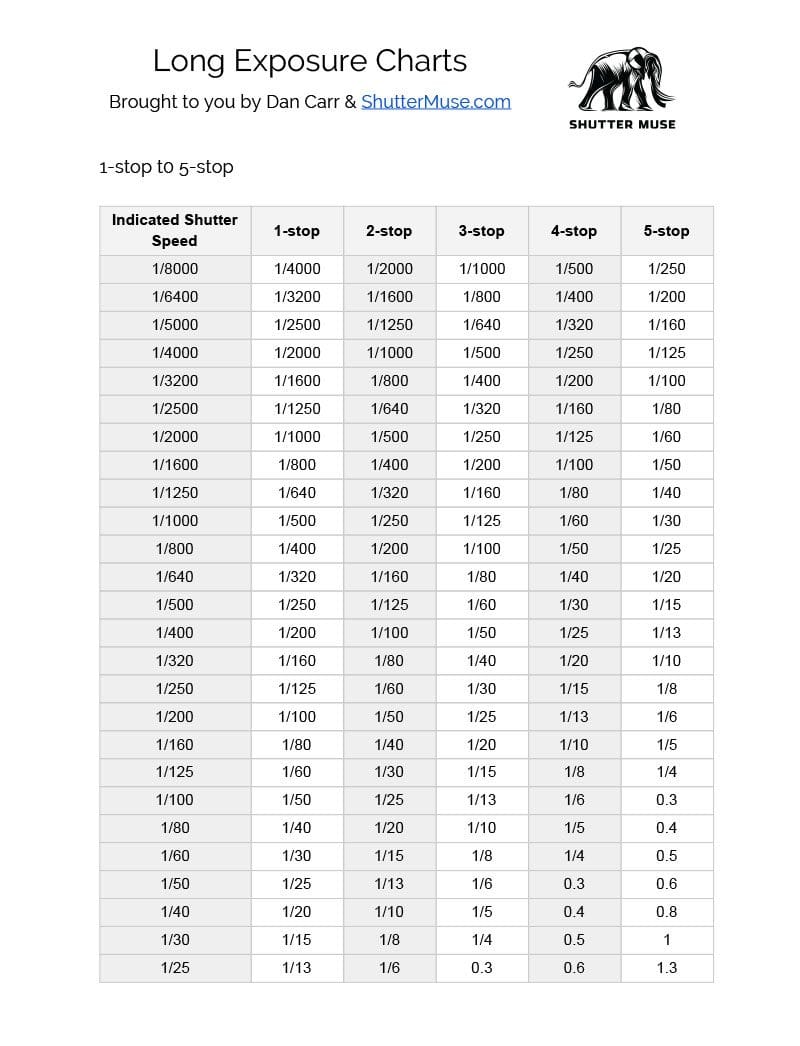
A handy printable reference, or one that can be stored on your phone. This set of charts gives you equivalent long exposure times for using neutral density filters up to 16-stops. Associated post: How to Calculate Long Exposures.
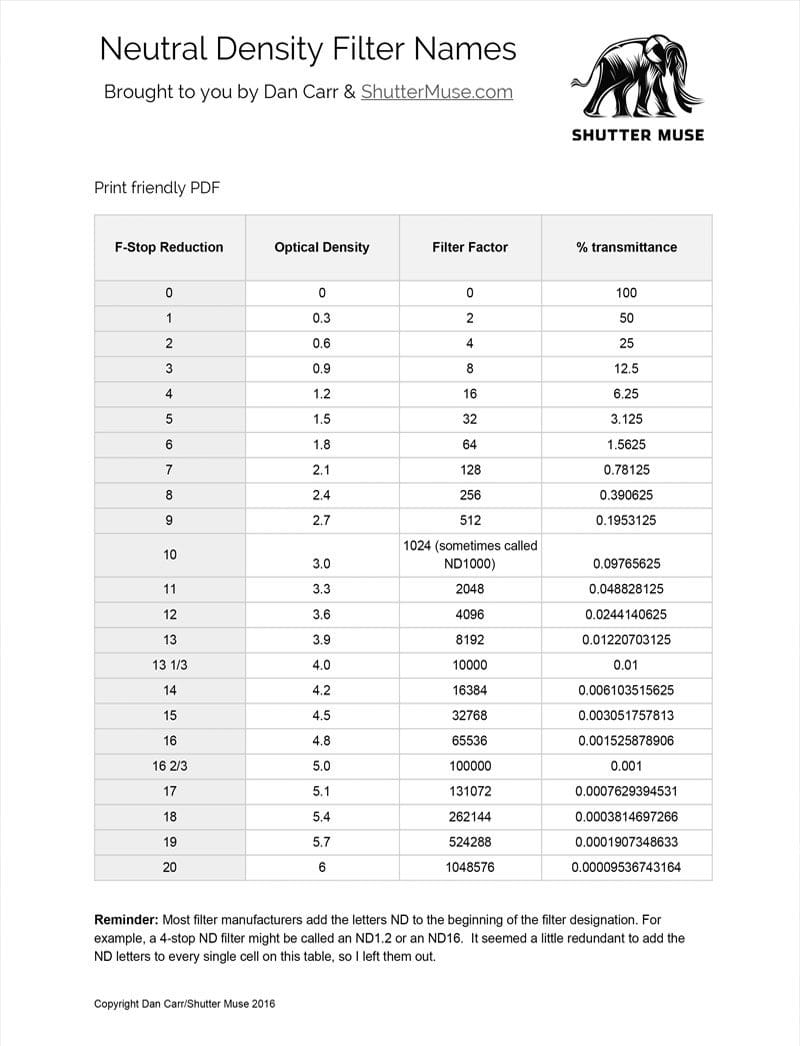
Photographic filters have three complicated naming structures. Unfortunately brands can’t agree on a standard, so this is a handy way to reference the differences and hopefully help you learn more about them. Associated tutorial: Photography Filter Names.