In my free eBook, 10 Incredible Tools For Professional Photographers , I dedicated a whole chapter to the power of Photo Mechanic. If you’re not yet familiar with the software then I suggest you grab the book and take a look. Honestly, it’s a workflow life changer!
The range of possibilities in the software means that there is also an extensive list of keyboard shortcuts to help speed things up even further. Since the whole point of Photo Mechanic is to create a fast and super efficient workflow, it really makes sense to use these shortcuts, perhaps more so than with any other piece of photo software.
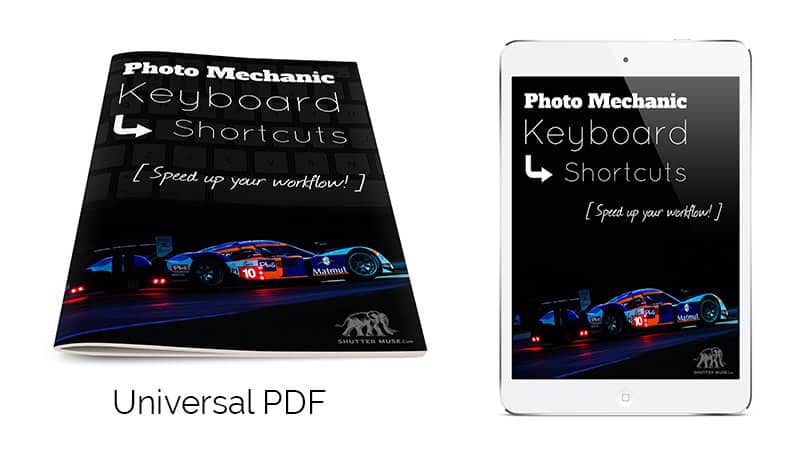
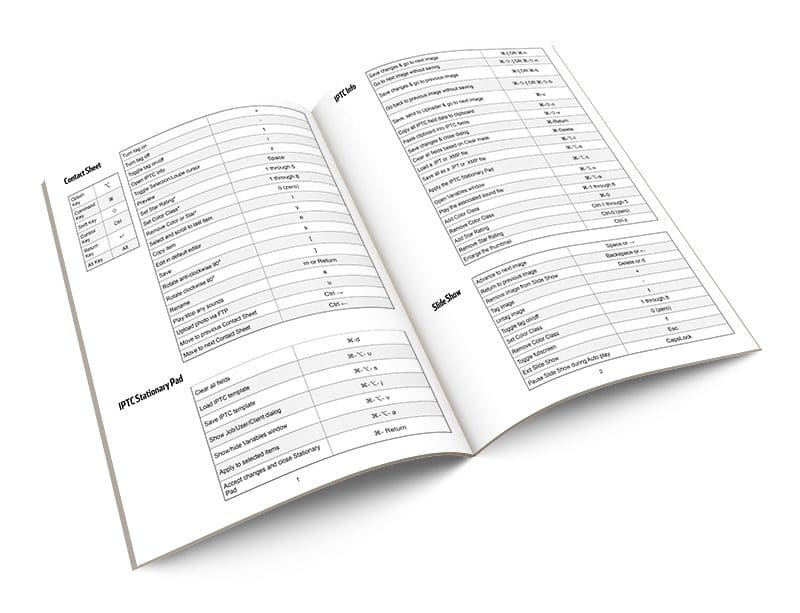
Below you will find a list of the keyboard shortcuts, but I also wanted to give you guys something that you can take away and easily refer to in the field (or in the press room!), so I’ve created an easy-reference PDF that you can store on your smartphone, laptop or tablet and always have it to hand. I know what it’s like with shortcuts… we remember the basic ones pretty easily, but after periods of inactivity with specific software we forget a few of the other ones. No need to remember where to look on the internet though with this handy guide!
Get the PDF eBook Version For Free
If you want a nice, printable version of this table to keep in your bag, or just on your smartphone, hit the button below.
Do You Want The PDF?
Printer + smartphone friendly to keep in your bag.
Yes Please
Shortcut List (Mac)
Keyboard Symbols
Click here to skip down to the PC shortcut list.
Option Key ⌥ Command Key ⌘ Shift Key ⇧ Control Key Ctrl Return Key ↵ Alt Key Alt
Contact Sheet
Turn tag on + Turn tag off – Toggle tag on/off t Open IPTC Info i Toggle Selection/Loupe cursor z Preview Space Set Star Rating* 1 through 5 Set Color Class* 1 through 8 Remove Color or Star* 0 (zero) Select and scroll to last item l Copy item y Edit in default editor e Save s Rotate anti-clockwise 90⁰ [ Rotate clockwise 90⁰ ] Rename m or Return (↵) Play/stop any sounds a Upload photo via FTP u Move to previous Contact Sheet Ctrl – → Move to next Contact Sheet Ctrl – ←
Preview Window
Close Preview Window Esc or ⌘-w Move back/forward one image ←, → Scroll thumbnails by page ↑, ↓, PgUp, PgDn Delete current item Delete or Backspace Toggle rendering quality (RAW/JPEG) q Turn zoom on/off z or * Increase zoom + Decrease zoom – Toggle shadow n Toggle highlight b Link the two previews l One up view o 2-up view (horizontal) v 2-up view (vertical) h Switch active pane in 2-up Tab Toggle color management c Full screen mode on/off f Restore from full screen more r Swap items in 2-up view g or / Set Color Class* 1 through 8 Set Star Rating* 1 through 5 Remove Star or Color* 0 (zero) Set Color Class ⌘-1 through 8 Remove Color Class ⌘-0 Set Star Rating Ctrl-1 through Ctrl-5 Remove Star Rating Ctrl-0 (zero) Toggle tag on/off t or . (period) Upload u Toggle crop tool x Remove crop ⌥-x Rotate anti-clockwise 90⁰ [ Rotate clockwise 90⁰ ] Play/Stop audio sounds a IPTC Info i Add to selected items w Deselect Delete or Backspace Copy y Rename m Edit Esc or ⌘-w Save s Panning Cursor Space or ⌥ Pan in the zoomed mode ⌥-↑, ↓, ←, → Pan faster in the zoomed mode ⇧-⌥-↑, ↓, ←, → Zoom in and out ⌥-Scroll Zoom in and center on click ⌘-click
IPTC Stationary Pad
Clear all fields ⌘-d Load IPTC template ⌘-⌥- u Save IPTC template ⌘-⌥- s Show Job/User/Client dialog ⌘-⌥- j Show/hide Variables window ⌘-⌥- v Apply to selected items ⌘-⌥- a Accept changes and close Stationary Pad ⌘- Return (↵)
IPTC Info
Save changes & go to next image ⌘-[ OR ⌘-n Go to next image without saving ⌘-⇧-] OR ⌘-⇧-n Save changes & go to previous image ⌘-[ OR ⌘-b Go back to previous image without saving ⌘-⇧-[ OR ⌘-⇧-b Save, send to Uploader & go to next image ⌘-u Copy all IPTC field data to clipboard ⌘-⇧-c Paste clipboard into IPTC fields ⌘-⇧-v Save changes & close dialog ⌘-Return Clear all fields based on Clear mask ⌘-Delete Load a .IPT or .XMP file ⌘-⌥-l Save all as a .IPT or .XMP file ⌘-⌥-s Apply the IPTC Stationary Pad ⌘-⌥-c Open Variables window ⌘-⌥-v Play the associated sound file ⌘-⌥-a Add Color Class ⌘-1 through 8 Remove Color Class ⌘-0 Add Star Rating Ctrl-1 through 5 Remove Star Rating Ctrl-0 (zero) Enlarge the thumbnail Ctrl-z
Slide Show Controls
Advance to next image Space or → Return to previous image Backspace or ← Remove image from Slide Show Delete or d Tag image + Untag image – Toggle tag on/off t Set Color Class 1 through 8 Remove Color Class 0 (zero) Pause Slide Show during Auto play CapsLock
File Menu
New Contact Sheet window ⌘-⇧-n New Contact Sheet tab ⌘-n Open Contact Sheet ⌘-o Close Contact Sheet tab/window ⌘-w Close window ⌘-⇧-w Ingest ⌘-g Live Ingest ⌘-⇧-g Live Slide Show ⌘-⇧-i Rename Photos ⌘-m Copy items ⌘-y Delete ⌘-Delete Save As ⌘-s Burn items to disc ⌘-b Send items by email ⌘-⇧-e FTP ⌘-u Upload ⌘-Ctrl-u Export ⌘-Ctrl-x Page Setup ⌘-Ctrl-p Print ⌘-p
Edit Menu
Undo ⌘-z Redo ⌘-⇧-z Cut ⌘-x Copy ⌘-c Paste ⌘-v Take IPTC Snapshot ⌘-⌥- c Paste IPTC Snapshot ⌘-⌥- v Find ⌘-f Find and Replace ⌘-⇧-f Search using Spotlight ⌘-⌥- f Select all ⌘-a Deselect all ⌘-d Select tagged items ⌘-t Select rotated items ⌘-⇧-r Invert selection ⌘-⇧-o Select Color Class 1-8 ⌘-Ctrl-1 through 8 Select anything with a Color Class ⌘-Ctrl-9 Select items with no Color Class ⌘-Ctrl-0 (zero) Select Star Rating 1-5 ⌘-⌥-1 through 5 Select anything with a Star Rating ⌘-⌥-6 Select anything without a Star Rating ⌘-⌥-0 (zero) Set Code Replacements ⌘-Ctrl-c Reload Code Replacements ⌘-⇧-Ctrl-c Enter special characters ⌘-⌥-t
View Menu
Toggle combined RAW+JPEG ⌘-j View all F1 View selected F2 View tagged F3 View untagged F4 Refresh F5 Rescan Contact Sheet ⌘- / Show/hide info tooltips ⌘-⇧-t
Image Menu
IPTC Stationary Pad ⌘-i Apply Stationary Pad ⌘-⇧-i Keywords panel ⌘-k Structured keywords panel ⌘-⌥- k Rotate anti-clockwise 90⁰ ⌘-[ Rotate clockwise 90⁰ ⌘-] Tag photos ⌘- + Untag ⌘- – Preview ⌘-r Edit items ⌘-e Slide Show ⌘-l Set Color Class ⌘-1 through ⌘-8 Remove Color Class ⌘-0 (zero) Set Star Rating Ctrl-1 through Ctrl-5 Remove Star Rating Ctrl-0 (zero)
Application Menu
Preferences ⌘ – , (comma) Hide Photo Mechanic ⌘-h Hide other applications ⌘-⌥ -h Quit Photo Mechanic ⌘-q
Photo Mechanic Keyboard Shortcuts (PC)
Keyboard Symbols
Option Key ⌥ Command Key ⌘ Shift Key ⇧ Control Key Ctrl Return Key ↵ Alt Key Alt
Contact Sheet
Turn tag on + Turn tag off – Toggle tag on/off t Open IPTC Info i Toggle Selection/Loupe cursor z Preview Space Set Star Rating* 1 through 5 Set Color Class* 1 through 8 Remove Color or Star* 0 (zero) Select and scroll to last item l Copy item y Edit in default editor e Save s Rotate anti-clockwise 90⁰ [ Rotate clockwise 90⁰ ] Rename m or Return (↵) Play/stop any sounds a Upload photo via FTP u Move to previous Contact Sheet Ctrl – → Move to next Contact Sheet Ctrl – ←
Preview Window
Close Preview Window Esc or Alt-w Move back/forward one image ←, → Scroll thumbnails by page ↑, ↓, PgUp, PgDn Delete current item Delete or Backspace Toggle rendering quality (RAW/JPEG) q Turn zoom on/off z or * Increase zoom + Decrease zoom – Toggle shadow n Toggle highlight b Link the two previews l One up view o 2-up view (horizontal) v 2-up view (vertical) h Switch active pane in 2-up Tab Toggle color management c Full screen mode on/off f Restore from full screen more r Swap items in 2-up view g or / Set Color Class* 1 through 8 Set Star Rating* 1 through 5 Remove Star or Color* 0 (zero) Set Color Class Ctrl-1 through 8 Remove Color Class Ctrl-0 Set Star Rating Alt-1 through Alt-5 Remove Star Rating Alt-0 (zero) Toggle tag on/off t or . (period) Upload u Toggle crop tool x Remove crop ⇧-x Rotate anti-clockwise 90⁰ [ Rotate clockwise 90⁰ ] Play/Stop audio sounds a IPTC Info i Add to selected items w Deselect d Copy y Rename m Edit e Save s Panning Cursor Space or ⇧ Pan in the zoomed mode ⇧-↑, ↓, ←, → Pan faster in the zoomed mode ⇧-Ctrl-↑, ↓, ←, → Zoom in and out + and keypad – + Zoom in and center on click Ctrl+ left mouse click
IPTC Stationary Pad
Clear all fields ⌘-Delete Load IPTC template Ctrl-Alt- i Save IPTC template Ctrl-Alt- s Show Job/User/Client dialog Ctrl-Alt- j Show/hide Variables window Ctrl-Alt- v Apply to selected items Ctrl-Alt- a Accept changes and close Stationary Pad ⌘- Return (↵)
IPTC Info
Save changes & go to next image Alt-[ OR Ctrl-n Go to next image without saving Alt-⇧-] OR Ctrl-⇧-n Save changes & go to previous image Alt-[ OR Alt-b Go back to previous image without saving Alt-⇧-[ OR Ctrl-⇧-b Save, send to Uploader & go to next image Alt-u Copy all IPTC field data to clipboard Ctrl-⇧-c Paste clipboard into IPTC fields Ctrl-⇧-v Save changes & close dialog Ctrl-Enter Clear all fields based on Clear mask Ctrl-Delete Load a .IPT or .XMP file Ctrl-Alt-l Save all as a .IPT or .XMP file Ctrl-Alt-s Apply the IPTC Stationary Pad Ctrl-Alt-c Open Variables window Ctrl-Alt-v Play the associated sound file Ctrl-Alt-a Add Color Class Ctrl-1 through 8 Remove Color Class Ctrl-0 Add Star Rating Alt-1 through 5 Remove Star Rating Alt-0 (zero) Enlarge the thumbnail Alt-z
Slide Show Controls
Advance to next image Space or → Return to previous image Backspace or ← Remove image from Slide Show Delete or d Tag image + Untag image – Toggle tag on/off t Set Color Class 1 through 8 Remove Color Class 0 (zero) Pause Slide Show during Auto play CapsLock
File Menu
New Contact Sheet window Ctrl-Alt-n New Contact Sheet tab Ctrl-n Open Contact Sheet Ctrl-o Close Contact Sheet tab/window Ctrl-w Close window Ctrl-Alt-w Ingest Ctrl-g Live Ingest Ctrl-Alt-g Live Slide Show Ctrl-Alt-i Rename Photos Ctrl-m Copy items Ctrl-y Delete Ctrl-Delete Save As Ctrl-s Burn items to disc Ctrl-b Send items by email Ctrl-Alt-e FTP Ctrl-u Upload Ctrl-Alt-u Export Ctrl-Alt-x Page setup Ctrl-Alt-p Print Ctrl-p
Edit Menu
Undo Ctrl-z Redo Ctrl-⇧-z Cut Ctrl-x Copy Ctrl-c Paste Ctrl-v Take IPTC Snapshot Alt- c Paste IPTC Snapshot Alt- v Find Ctrl-f Find and Replace Ctrl-⇧-f Search using Spotlight Ctrl-Alt- f Select all Ctrl-a Deselect all Ctrl-d Select tagged items Ctrl-t Select rotated items Ctrl-⇧-r Invert selection Ctrl-⇧-o Select Color Class 1-8 Ctrl-⇧-1 through 8 Select anything with a Color Class Ctrl-⇧-9 Select items with no Color Class Ctrl-⇧-0 (zero) Select Star Rating 1-5 Alt-⇧-1 through 5 Select anything with a Star Rating Alt-⇧-6 Select anything without a Star Rating Alt-⇧-0 (zero) Set Code Replacements Ctrl-Alt-c Reload Code Replacements ⇧-Ctrl-Alt-c
View Menu
Toggle combined RAW+JPEG Ctrl-j View all F1 View selected F2 View tagged F3 View untagged F4 Refresh F5 Rescan Contact Sheet Ctrl- / Show/hide info tooltips Ctrl-⇧-t
Image Menu
IPTC Stationary Pad Ctrl-i Apply Stationary Pad Ctrl-⇧-i Keywords panel Ctrl-k Structured keywords panel Ctrl-⇧- k Rotate anti-clockwise 90⁰ Alt-[ Rotate clockwise 90⁰ Alt-] Tag photos Ctrl- NumLock- + Untag Ctrl- – Preview Ctrl-r Edit items Ctrl-e Slide Show Ctrl-l Set Color Class Ctrl-1 through Ctrl-8 Remove Color Class Ctrl-0 (zero) Set Star Rating Alt-1 through Alt-5 Remove Star Rating Alt-0 (zero)
Application Menu
Preferences Ctrl- , (comma) Quit Photo Mechanic Ctrl-q






Dan, it looks great, and I downloaded the “Tools for Photographers” .. but what do we click for the PM Keyboard Shortcuts? I hit the Tweet button, and sent it out, but nothing unlocked. Thanks
Hey Carl,
drop me a note via the contact page and I’ll send you a link. I’m sorry that it did not work for you. That’s the first report I have had like that.
I think the issue might be that you did not get the tweet posted. I can’t see it on Twitter. Regardless, drop me a message with the contact form (link at top of page) and I’ll send you a link to DL the PDFs.